Gazer

Gaze-driven system input for Windows.
Gazer turns live gaze (Tobii Eye Tracker 5, or the mouse as a fallback) into on-screen pages you dwell to activate. Pages can type, click, move the pointer, speak, and run assist tools. The long-term aim is one stack for accessible gaming.
The dock drawer sits on the desktop. Hide and Sleep hang in the bezel below the screen — dwell targets off the glass. Look at a cell until progress fills; that cell fires when you look away. A splash tour walks this on first launch (Settings → Setup → Play tour to replay).
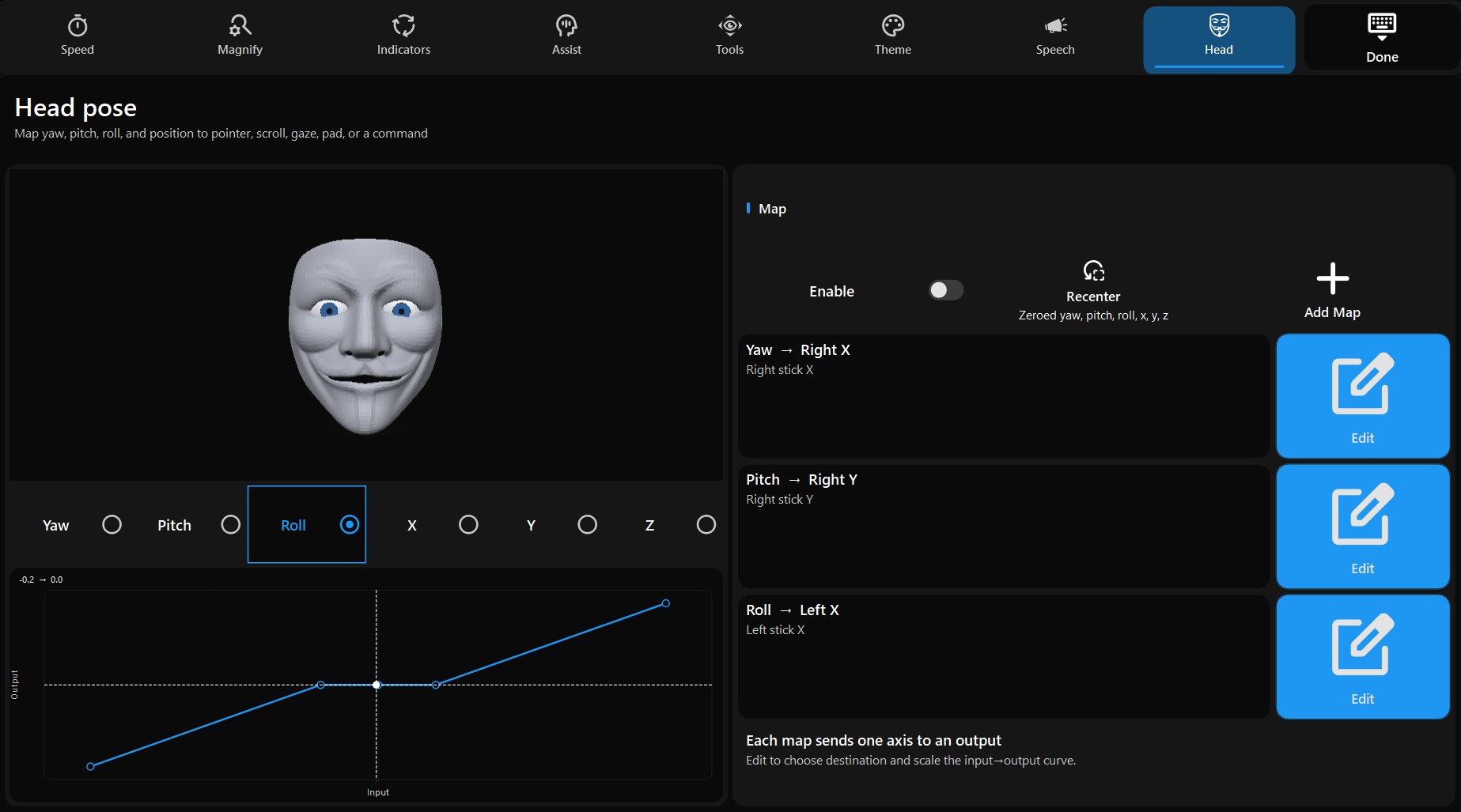
Settings → Head maps yaw, pitch, roll, and position to pointer, scroll, a virtual pad, or a command.
Version 0.6.5. License: GPL-3.0.
-
Dwell pages
One frameless overlay. Boards are XML grids and zones. Look at a cell until progress completes; the last dwell step repeats while gaze holds.
-
Shell
Process-lifetime dock: Main (drawer), Sleep (pause dwell), Keyboard / Speak / Mouse / Gamepad / Assist / Settings, Close All, Quit.
-
Keyboards
Compact and QWERTY boards. Cells type into Windows, or into the speech composer when that page is on top.
-
Mouse pad
Nudge, click, hold, scroll, dwell-move, click-at-gaze, ComboMouse.
-
Gamepad
Xbox-shaped board: face buttons, bumpers, triggers, d-pad, stick hats, look-to analog sticks.
-
Assist
Live magnifier, gaze reticle, gaze-follows-cursor, look-to-scroll, mag-pick zoom, foresight.
-
Speech
Gaze composer with an internal phrase, word chips, ElevenLabs or Windows SAPI, soundboard clips, and history.
-
Settings
Gaze-operated boards: Dwell, Zoom, Place, Gaze, Head, Speak, Theme, and Setup. No desktop dialogs for live prefs.
-
Page editor
Qt Widgets designer for the same XML the runtime loads. Saving a shipped page writes a user copy.
The overlay stays above the taskbar and other apps. The installed MSI can sit above Task Manager (uiAccess). Cells can also run AutoHotkey snippets or a local Python / AHK file.
Start here
- Install the MSI, or build from source.
- Start Gazer. Dwell Main if the drawer is hidden.
- Open Keyboard, Speak, Mouse, Gamepad, Assist, or Settings.
- Read How dwell works if progress feels too fast or too slow.
To make your own boards, use the page editor or author Page XML. Cell send / command / mouse / page actions: Actions. Command names: Commands.